首先说明一点的是,我这里使用的是gerrit的docker镜像。如果你是自己安装的,可能部分路径位置需要做一些改变。
1、github项目导入到gerrit
备注:从github到gerrit,我这里的需求只是导入,并没有实时同步。
在github创建一个repo,例如replication-demo
git clone git@github.com:liheyuan/replication-demo.git
在gerrit创建一个项目,注意保持同样的名字(非比选)和空提交[......]
首先说明一点的是,我这里使用的是gerrit的docker镜像。如果你是自己安装的,可能部分路径位置需要做一些改变。
1、github项目导入到gerrit
备注:从github到gerrit,我这里的需求只是导入,并没有实时同步。
在github创建一个repo,例如replication-demo
git clone git@github.com:liheyuan/replication-demo.git
在gerrit创建一个项目,注意保持同样的名字(非比选)和空提交[......]
ngrok可以通过中转服务器+内网穿透技术,将位于内网(NAT)内的服务,暴露给外网,并且不需要DMZ。
对于临时的调试需求,且客户端又不方便设置代理的情况下,非常有用。
ngrok.cc是一个暂时可以使用的服务,有免费版,也有收费版本。
1、注册
首先注册个帐号
然后创建一个隧道
这里假设你已经有一个自己的顶级域名,想要直接绑定到ngrok.cc的隧道上,那么配置就是如下:
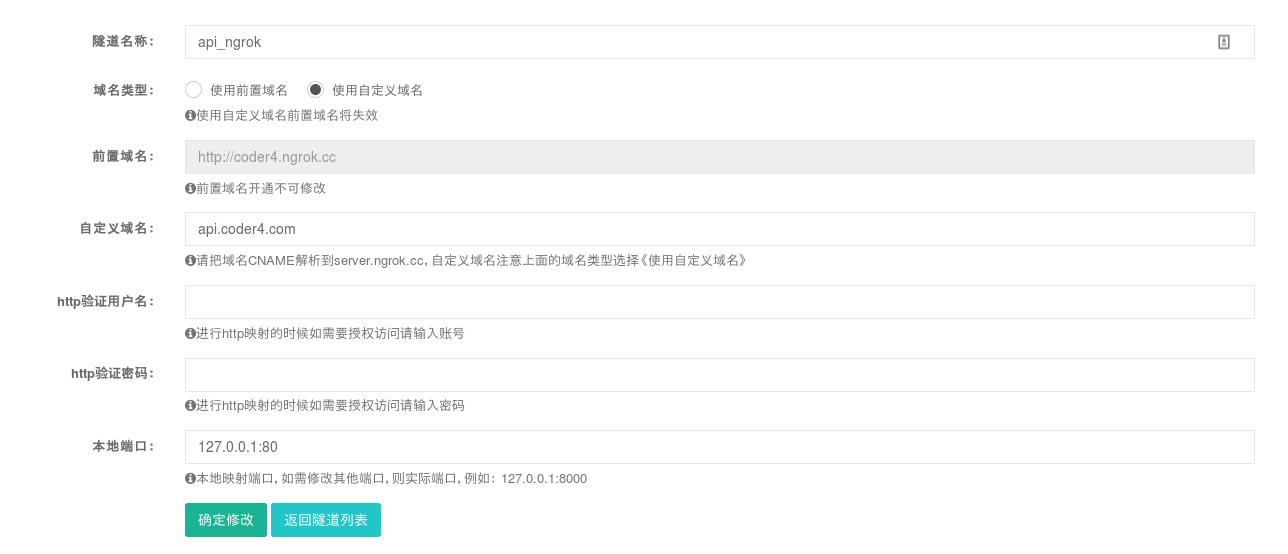
保存成功后,能得到这个隧道的token,先复制下来,后面要用。[......]
1、首先使用sudo apt-get install dconf-editor命令安装dconf-editor,默认是没有安装的;
2、安装完成后直接运行dconf-editor命令呼出窗口,按org->gnome->nautilus->preferences路径找到executable-text-activation设置选项,默认键值为display,即默认文本编辑器,改为ask[......]
转载自:http://krams915.blogspot.com/2011/01/ldap-apache-directory-studio-basic.html
LDAP - Apache Directory Studio: A Basic Tutorial
In this tutorial we will setup a basic LDAP structure containing users and roles. We will be using the excellent[......]
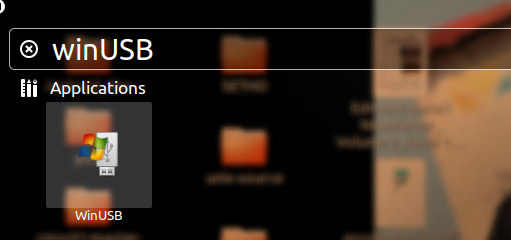
https://onetransistor.blogspot.com/2016/04/install-winusb-on-ubuntu-1604-lts.html
sudo add-apt-repository ppa:nilarimogard/webupd8
sudo apt-get update && sudo apt-get install winusb
 [......]